 |
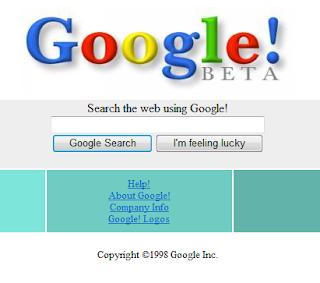
| Google Beta 1998 |
Screenshot of Google Beta! You can spend hours of searching old websites.You can browse through over 150 billion web pages archived from 1996 to a few months ago, isnt that great?
To start surfing the Wayback, type in the web address of a site or page where you would like to start, and press enter. Then select from the archived dates available. The resulting pages point to other archived pages at as close a date as possible. Keyword searching is not currently supported.
 |
| Blogger OCTOBER/12/1999 |
Screenshot of Blogger date 1999.
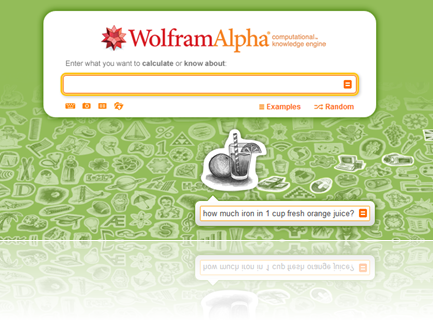 |
| Wolphram Alpha |
Want to know how many photos, links and updates you posted? Wolfram's got all that. What time of day you post the most? Wolfram will tell you. Just type “Facebook Report” and follow instructions. After connecting it to your Facebook and granting it a rather large number of permissions, Wolfram Alpha will break down everything about your Facebook activity into 60 different sections of charts, graphs, and other analyses
Wolfram Alpha its not like any search engine, it’s a computational search engine. You can ask “how much iron in 1 cup fresh orange juice?”
|
|  |
| | Web |
|
How to download files from websites? You'll find this method very useful. Its simple an fast.
1. Go to http://file2hd.com
2. Click I have read and agree to the Terms of Service
3. Choose Filter
4. Hit Get Files
5. Right click and choose save as
Thats all!
Alternative: Grabthatfile
How to use touchpad like touchscreen? If you have windows 8 then you can use gestrues.
The Synaptics Gesture Suite (SGS 12.3) provides users with a powerful and intuitive way to be more productive and interactive with their Windows 8 notebook systems.
SGS 12.3 was developed from analyzing the most common user workflows, from entertainment activities such as viewing photos and listening to music, to productivity activities such as accessing emails and presentations.
The result is an intelligent, usability-optimized model in the form of a customizable touchpad driver and control panel that makes it easy for consumers to understand and discover features.
SGS 12.3 represents a growing portfolio of gestures available on Synaptics interface solutions. These new gestures are compatible with Microsoft Windows 8, extend the Windows 8 “Touch First” touchscreen experience to notebooks, enhancing the value and productivity of notebook PCs and peripheral devices that use the Synaptics TouchPad family products.
Link: http://www.synaptics.com/solutions/technology/touchpad


